

NEW!
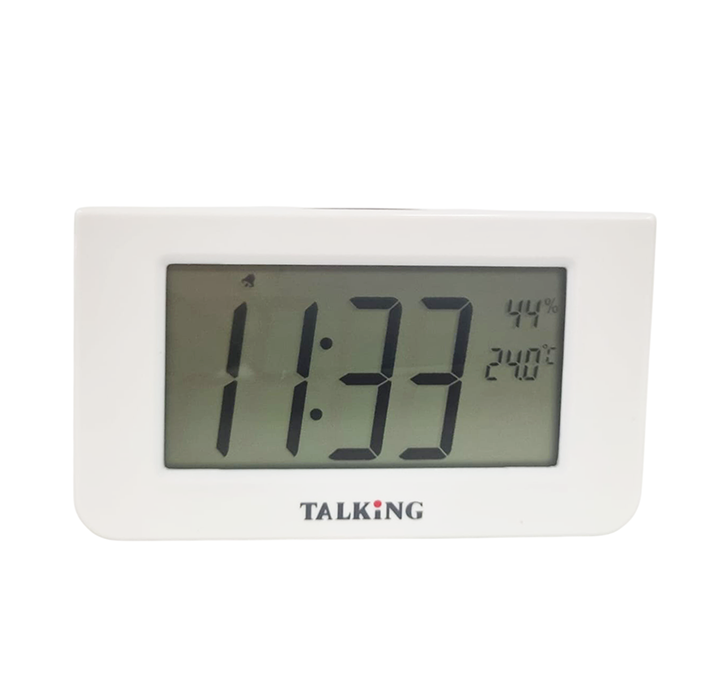
All-Purpose Talking Clock
R690.00
PRICE INCLUDES VAT & EXCLUDES SHIPPING
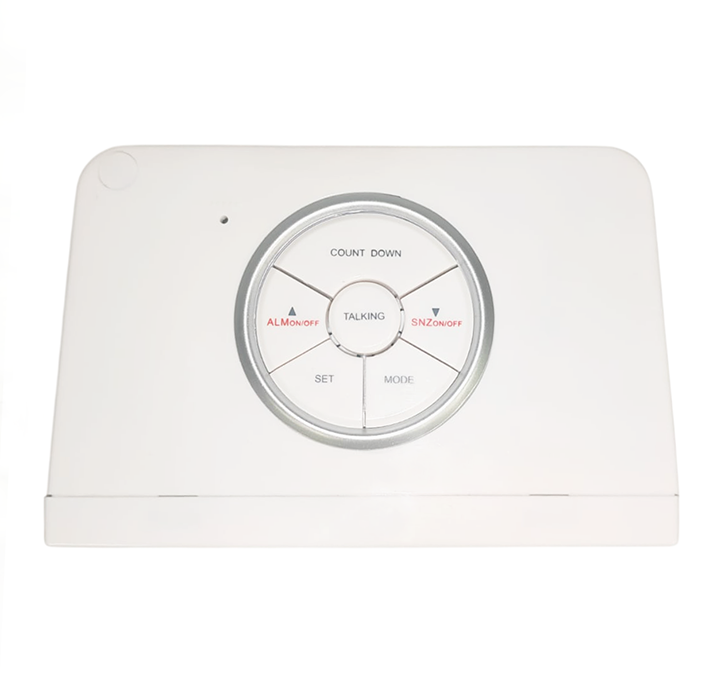
The All-Purpose Talking Clock is a heavy-duty, stylish clock that speaks the time aloud. All buttons are conveniently arranged in a circular pattern on the top of the clock, with the “Talking” button in the centre. Pressing it announces the time, temperature and humidity.
The clock offers both 12- and 24-hour formats and includes a built-in timer that can be activated at the touch of a button. When the timer is running, pressing the “Talking” button will announce the remaining time.
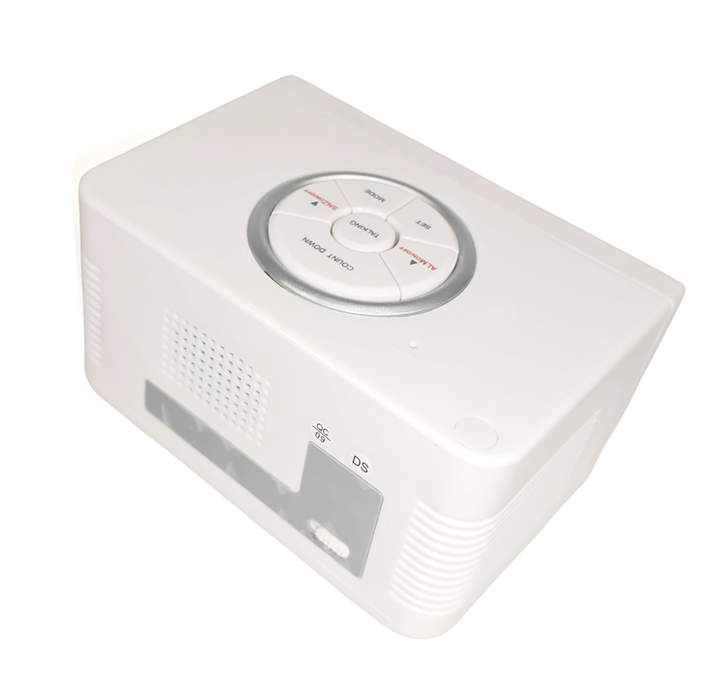
Rubber feet help keep the clock securely in place, preventing it from slipping or sliding. Its cube-like design makes it easy to position anywhere in your home or office.
Key Features:
- Speaks time, temperature (Fahrenheit or Celsius) and humidity
- Built-in timer
- One daily alarm
- High-quality female voice and digital display
- Speaks time in either 12- or 24-hour format
- Power: 4 x AAA batteries (included)
- Dimensions: 12 x 7.6 × 7 cm
5 in stock
How to use the All-Purpose Talking Clock
After inserting 4 AAA batteries into the clock, place it in front of you with the display screen facing you and the buttons on the top.
Buttons
The Talking button is located in the centre, with the Plus button on the left and the Minus button on the right.
In front of the Talking button are two smaller buttons – Set on the front-left and Mode on the front-right.
Behind the Talking button is a single large button called Timer.
On the back of the clock, there is a switch to toggle between Celsius and Fahrenheit.
Setting the Time
Press Mode and the clock will announce “Time Set”. Press Set to hear “Hour Set”, then use the Plus and Minus buttons to adjust the hour. Press Set again to move to “Minute Set” and use Plus and Minus to adjust the minutes. You can press Talking at any time to hear the currently selected time.
To switch between 12- and 24-hour formats, press Set a third time until you hear a beep. Press Plus or Minus to choose either 12 or 24, which confirms the format of time that will be spoken.
Setting the Alarm
Press Mode until you hear “Alarm Set”, then follow the same steps used to set the time. When you are done, press Mode until you hear “Time”. Press Plus to switch the alarm on or off. If the alarm is on, press Minus to toggle the Snooze function on or off.
Using the Timer
Press the Timer button and you will hear “Countdown Timer”. The default setting is 10 minutes. Press Timer again to increase the time in 10-minute increments, then press Plus or Minus to start the countdown.
Related products
-
 OUT OF STOCK
Beeping Liquid Level Indicator
R330.00 Read more -

PowerMag Stand
Price range: R1,248.00 through R1,784.00 Select options This product has multiple variants. The options may be chosen on the product page -

Handframe/Slate and Stylus
R410.00 Add to basket -

Braille Uno
R430.00 Add to basket